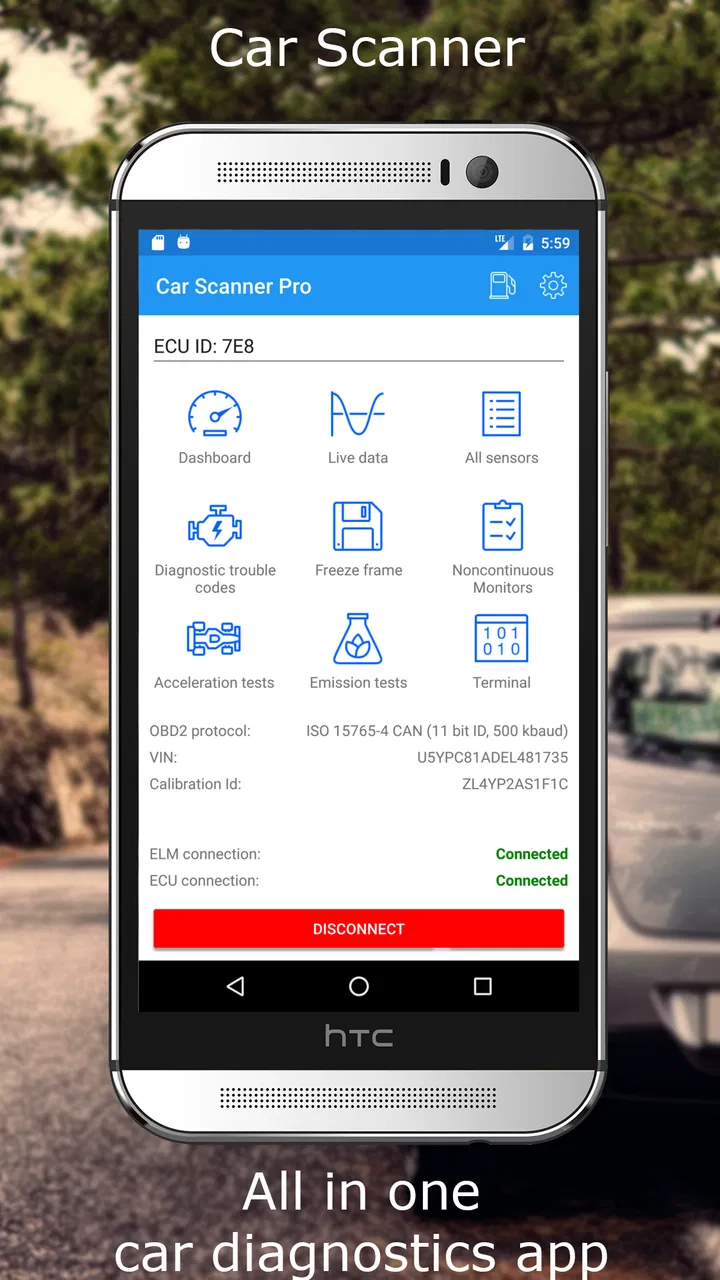
Car Scanner ELM OBD2
- 4.7
- Rating
- 10.00M
- Installs
- Free
- Price

 Analysis by App-foxy
I found Car Scanner ELM OBD2 most useful when a car is shared by several people and everyone wants the same basic view of what is happening under the hood. It turns an Android or iOS phone into a dashboard and diagnostic reader, provided the vehicle is paired with a compatible ELM327-style adapter. That makes it more practical than a simple trip counter, but it is not a replacement for a mechanic or a dedicated workshop scanner.
In my experience, the app makes the most sense as a household tool. One person can monitor fuel-related information, another can check warning codes after a dashboard light appears, and someone else can use a live dashboard during a long drive. The important point is that the phone is only the display and control surface; the adapter and the car’s own electronic systems determine what the app can actually read.
How it works when a car is shared
A realistic example is a family car used for commuting, school runs, and weekend travel. If the check-engine light comes on while one family member is driving, that person can connect the adapter, open the app, and read the available diagnostic information instead of guessing from the warning symbol. Later, another driver can review the same vehicle with a different dashboard layout or use the trip-computer features for a journey.
You May Also Like

 AccuWeather: Weather Radar
AccuWeather Review: A Quick, Clear Forecast for Everyday Decisions
For everyday plans, the best forecast is the one you can understand quickly. AccuWeather makes rain timing, radar, and local conditions easy to act on, with a few trade-offs.

 Hill Climb Racing
Why Hill Climb Racing Still Turns Crashes Into One More Run
A tiny car, a bumpy hill and one more upgrade: Hill Climb Racing keeps resurfacing because its simple chaos makes every near-miss feel personal.

 AliExpress - Shopping App
AliExpress Makes Global Shopping Feel Personal, but Shoppers Bear the Risk
AliExpress turns a global marketplace into a pocket-sized discovery engine. Its reach is useful, its shopping loop compelling, and its trade-offs easy to miss.

 Lords Mobile: Kingdom Wars
Lords Mobile Is a Kingdom-Building Routine, Not a Quick Match
A case-by-case verdict on the building, battles, device demands, and social commitments that make Lords Mobile rewarding for some players and exhausting for others.

 PDF Scanner app - TapScanner
TapScanner Makes Paperwork Easier to Capture, Check, and Share
TapScanner makes scanning with a phone feel less like a rescue operation and more like a dependable step in getting work done. Its capture tools are useful, though not flawless.

 Block Blast!
Block Blast! Shows How Much a Puzzle Game Can Leave Out
A quiet grid game shows why puzzle players increasingly value instant clarity, repeatable skill and low-pressure play—and where the genre still needs to catch up.
More From Our News Desk
View All News


That flexibility is the strongest reason I would choose this over a basic Bluetooth gauge. The app is not locked into one narrow task. It can behave like a live instrument panel while driving, then become a diagnostic reader when something feels wrong. The store summary describes it as a trip computer and car diagnostic tool, and that combination is exactly what separates it from ordinary mileage or fuel-tracking apps.
Shared use does require a little discipline. I would keep the adapter with the vehicle rather than moving it between phones without a plan. I would also agree on who is allowed to clear diagnostic codes. Reading a code is useful; deleting it before another person has recorded the details can make later troubleshooting harder. The app gives a household access to information, but it does not automatically create a maintenance process.
For a driver who only wants navigation, fuel reminders, or a simple service calendar, this may be more technical than necessary. It is aimed at people who are willing to connect to the car and interpret live readings or fault information. If that sounds like unnecessary effort, a conventional maintenance app will probably feel calmer and easier.
One phone, several drivers
The app is best treated as a vehicle tool rather than a personal social account. A shared tablet or spare phone can remain in the car for occasional checks, while each driver can use a personal phone when needed. That arrangement avoids making one person the permanent owner of the car’s information and is convenient when the household has different driving routines.
There is also a practical privacy boundary here. I would not hand a casual passenger a phone that is already unlocked with unrelated personal information visible just because they want to see the dashboard. A separate household device is cleaner. This is not a criticism of the app; it is simply the sensible way to use any diagnostic application around multiple people.
Setup boundaries and what to expect from the connection
The first setup is not as instant as installing an ordinary travel app. You need a compatible adapter, a vehicle that supports the relevant diagnostic connection, and a phone that can communicate with the adapter. The app itself is free, but the adapter is a separate practical consideration, so the real starting cost depends on what the household already owns.
Once connected, I would begin with a quiet test while the car is parked. This is the safer moment to confirm that the adapter is recognized, that the correct connection method is selected, and that the dashboard is showing sensible values. Trying to configure everything while moving is distracting and makes it harder to tell whether a strange reading comes from the car, the adapter, or the setup.
The current version is 2.1.3, and it supports devices running Android 5.0 or later. On iOS, the exact connection experience can depend on the adapter’s communication method. That is an important boundary: buying the app does not guarantee that every inexpensive adapter will behave identically across phones and vehicles.
I would also avoid treating the first successful connection as proof that every feature will work on every car. Vehicle electronics vary, and the available readings can depend on the car’s systems and the adapter. The app can expose a wide range of information, but it cannot invent data that the vehicle does not provide. This is one reason I prefer to test the specific car before building a household routine around a particular gauge.
The free download makes experimenting less risky. There are in-app purchases ranging from $1.49 to $5.49 per item, so I would first confirm that the basic connection and the features I actually need work properly. A paid option can be worthwhile for a regular user, but there is no reason to buy extras before understanding the car’s compatibility and the app’s interface.
Build a useful dashboard instead of a crowded one
The wide selection of dashboard options is both a strength and a trap. When I first approach an app like this, the temptation is to add every available gauge. That usually produces a screen full of numbers that nobody in the household watches consistently. A better workflow is to create a small driving view with only the readings that matter for the current purpose, then keep a separate diagnostic view for parked checks.
For a shared car, I would make the main dashboard readable at a glance and avoid placing unfamiliar values where they can distract the driver. A second household member who understands diagnostics can use the more detailed screen later. This separation is more useful than trying to satisfy the commuter and the technically curious driver with one overloaded layout.
Another helpful habit is to note the circumstances whenever a value looks unusual: engine warm or cold, car stationary or moving, and whether a warning light is present. A single number without context can be misleading. Recording the situation gives the next driver or mechanic something more useful than a vague message saying that the app “showed a problem.”
Coordination after a warning light appears
This is where the app can save a household from unnecessary confusion. If one driver sees a warning light, the first step should be reading and recording the diagnostic information, not immediately clearing it. I would capture the displayed code or details, write down when it appeared, and mention any symptoms such as rough running, poor acceleration, or unusual sounds.
That record can then be shared with the person responsible for maintenance. The app becomes a common reference point rather than a private gadget used by only the most technical driver. Even if a repair shop is eventually needed, arriving with the warning context and the observed code can make the conversation more focused.
There is a trade-off, though. A diagnostic code is a clue, not a complete repair instruction. It may point toward a system or condition without identifying the failed part with certainty. I would never tell a less experienced driver that a code proves a particular component must be replaced. The app is valuable for narrowing the conversation, while proper diagnosis still depends on testing and mechanical judgement.
Clearing codes deserves special caution in a shared vehicle. It may make the dashboard look normal temporarily, but it can also remove information that another driver or technician needs. My household rule would be simple: read, record, and discuss first; clear only when everyone who handles maintenance understands why it is being done.
Use it for trips, not only faults
The trip-computer side is useful for coordination during longer journeys. Before a road trip, one driver can check the dashboard while parked and make sure the chosen readings are visible. During the drive, another person can monitor the display without changing settings or searching through menus. This is a small improvement, but it reduces the temptation to experiment with the app while the vehicle is moving.
It can also help compare driving patterns within the household, although I would use that information as feedback rather than as a scorecard. Different routes, traffic, weather, loads, and driving styles affect readings. Turning the app into a competition can create arguments over numbers that are not directly comparable. Used sensibly, it encourages questions such as why one trip consumed more fuel or why a reading changed after maintenance.
For a professional fleet or a workshop, I would look at specialized tools instead. A household may appreciate a flexible phone dashboard, but a business usually needs controlled records, repeatable procedures, and equipment designed for its exact vehicles. This app is strongest when the goal is personal understanding and practical day-to-day monitoring.
Age, trust, and responsible household use
The content rating is Everyone, which fits the app’s general purpose: it presents vehicle information rather than entertainment or mature material. Still, an Everyone rating does not mean every function is suitable for unsupervised use by every child. A young passenger can look at a dashboard with an adult, but connecting adapters, interpreting fault codes, and changing settings should be handled by someone who understands the consequences.
For teenagers who are beginning to drive, the app could support useful learning. An adult can explain what a live reading represents, why the car should be stationary during setup, and why a warning code is not permission to keep driving indefinitely. That turns the app into a teaching aid instead of a mysterious screen of numbers.
Trust matters more than age alone. A technically confident teenager might use the app responsibly, while an inexperienced adult could still clear a code without understanding it. I would set household boundaries around actions rather than simply restricting access by age: everyone may view information, but only the person responsible for maintenance decides whether codes are cleared or settings are changed.
The app does not replace a conversation about safe driving. No dashboard is worth looking at while the driver is handling traffic. If a passenger wants to explore the interface, that should happen while parked. In a shared-device setup, I would also explain that the app’s readings are vehicle information, not a way to monitor another driver’s behavior or judge every trip.
Where it fits beside ordinary alternatives
Compared with a basic trip computer, this app offers much more depth because it can combine journey information with diagnostic access. Compared with a dedicated handheld scanner, it is more approachable for people who already carry a phone and want customizable displays. The phone-based approach is also easier to share visually with a passenger or another household member.
The compromises are just as clear. A handheld scanner may feel more dependable in a workshop because it is built for that single job and does not rely on a phone’s battery, wireless behavior, or screen. A mechanic may also prefer professional equipment with deeper vehicle coverage. On the other hand, a simple mileage app requires no adapter and is less intimidating for someone who only wants reminders and trip notes.
I would choose this app when the car owner wants to learn more, check warnings before seeking help, and create a dashboard that suits different journeys. I would skip it when the owner dislikes technical setup, has no compatible adapter, or expects a phone app to perform complete manufacturer-level diagnosis. The distinction is important: flexibility is not the same as universal coverage.
My household verdict
CAR SCANNER LLC has made a free Auto & Vehicles app that feels genuinely useful for a shared car, especially when several drivers need a common way to understand trips and warning information. Its average rating is 4.7 from around 320 thousand ratings, and it has passed 10 million installs, which reflects broad interest in this phone-based approach.
I like that the app can serve different roles without forcing the household to buy a separate trip display and a separate basic code reader. The best results come from treating it as a tool that needs boundaries: test the adapter while parked, keep dashboards focused, record codes before clearing anything, and let the person responsible for maintenance make the final decision.
The app is free to start and rated Everyone, so it is easy to introduce to a household. The optional purchases are modest, but I would still test compatibility before spending money on additional functions. The real question is not whether the app has many screens; it is whether your car, adapter, and family routine can turn those screens into useful information.
For me, the answer is yes when the goal is shared awareness rather than professional repair. I would recommend it to a curious car owner, a family managing one vehicle, or a driver who wants more than a standard dashboard. I would point a workshop, a fleet manager, or someone seeking guaranteed manufacturer-level diagnostics toward a more specialized alternative. Used with a compatible adapter and a clear household agreement, it is a practical bridge between a normal car display and professional diagnostic equipment.
FAQs for Car Scanner ELM OBD2
01What is Car Scanner ELM OBD2 used for?
Car Scanner ELM OBD2 is a diagnostic tool designed to read and interpret data from your vehicle's onboard diagnostics system. It allows you to monitor engine performance, check for error codes, and gain insights into real-time data such as speed, RPM, and fuel consumption, making it essential for both car enthusiasts and everyday drivers.
02Is Car Scanner ELM OBD2 compatible with my vehicle?
Car Scanner ELM OBD2 is compatible with most cars manufactured after 1996 that support the OBD2 standard. However, the app's functionality may vary depending on the specific make and model of your vehicle. It's advisable to check the app's compatibility list or consult your car's manual to ensure full functionality.
03Do I need any additional hardware to use Car Scanner ELM OBD2?
Yes, you will need an ELM327 Bluetooth or Wi-Fi OBD2 adapter to connect your smartphone to your car's OBD2 port. This adapter acts as a bridge, allowing the app to communicate with your vehicle's onboard diagnostic system. Make sure to purchase a compatible and reliable adapter for the best performance.
04Is Car Scanner ELM OBD2 easy to use for beginners?
Car Scanner ELM OBD2 is designed to be user-friendly, with an intuitive interface that guides users through the setup process. Beginners can quickly learn to navigate its features, from reading error codes to monitoring vehicle data. The app also provides explanations for codes, helping users understand their vehicle's condition.
05Does Car Scanner ELM OBD2 offer any advanced features?
Yes, Car Scanner ELM OBD2 offers advanced features such as customizable dashboards, data logging, and the ability to create custom PIDs for enhanced diagnostics. It also supports exporting data for further analysis, making it a powerful tool for those who want more detailed insights into their vehicle's performance.
Pros
- Comprehensive diagnostics capability.
- User-friendly interface and design.
- Real-time data monitoring available.
- Customizable dashboard features.
- Compatible with multiple OBD2 adapters.
Cons
- Some features require a premium upgrade.
- Occasional connection issues reported.
- Limited support for older car models.
- Interface may seem cluttered to some.
- Battery drain if used continuously.

Car Scanner ELM OBD2
Gallery